Most job seekers spend hours on their resume — rewriting bullet points, adjusting margins, picking fonts — and then it gets rejected in under 10 seconds. Not by a hiring manager. By software that has never met you and does not care how good your writing is.
That is the part most career advice skips entirely.
Your resume has two audiences. The first is an Applicant Tracking System — software used by the overwhelming majority of mid-to-large companies to filter applications before a human ever sees the pile. The second is a hiring manager who will spend roughly 6–7 seconds scanning your resume before deciding whether it is worth a closer read.
Miss either one, and you are out.
This guide breaks down exactly what each audience needs — and how to write one resume that satisfies both.
Build a clean, ATS-friendly resume in minutes. No account needed, download as PDF.
What is an ATS and why should you care?
An Applicant Tracking System is software that receives, stores, and ranks job applications. When you hit “Submit” on a job posting, your resume goes into the ATS first — not a person’s inbox.
The system parses your resume: it reads your text, extracts information like job titles, dates, skills, and education, and then scores your application based on how well it matches the job description. Depending on the company’s settings, applications below a certain score may never surface to a recruiter at all.
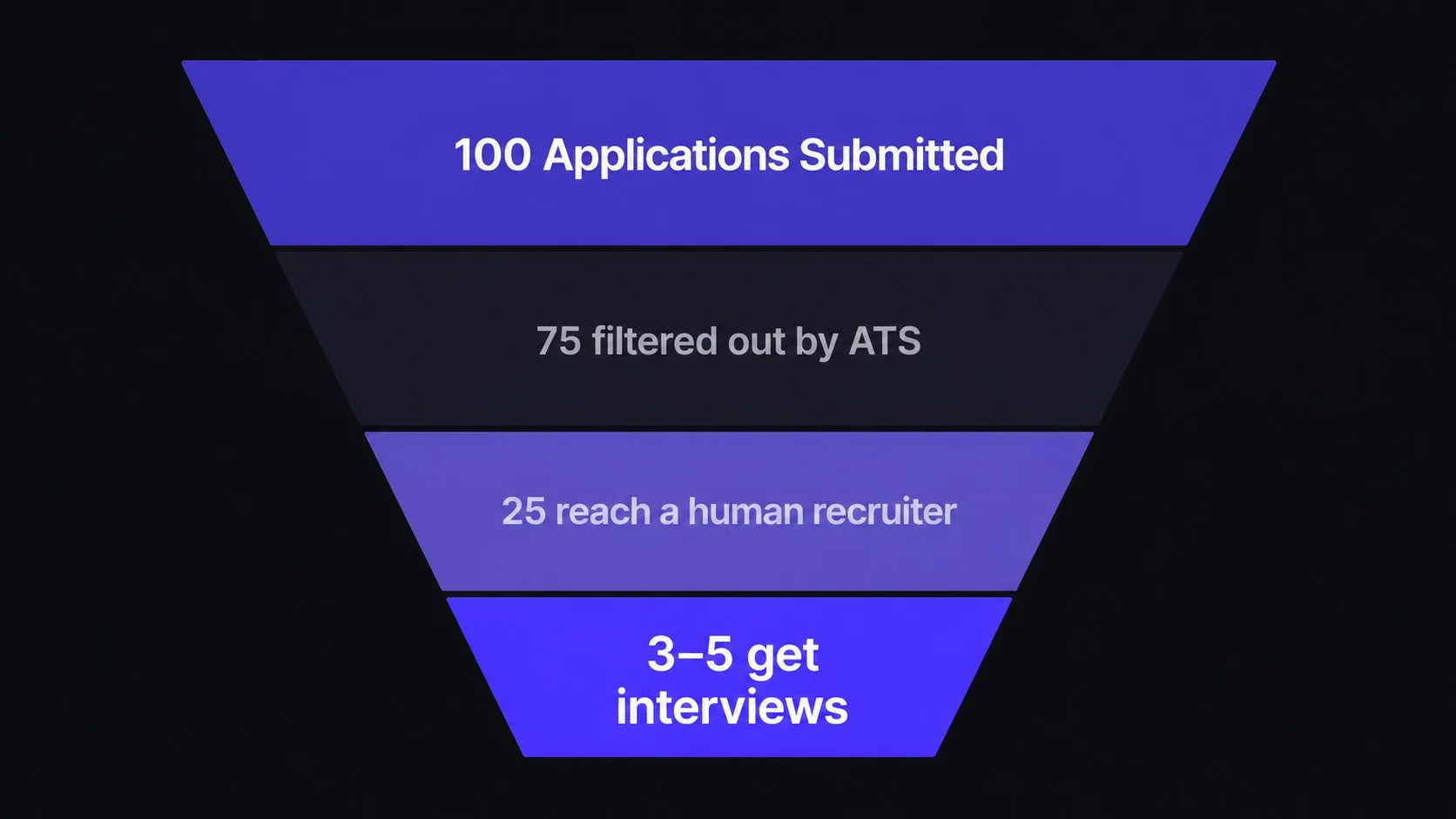
The frustrating part? You can be genuinely qualified for a job and still get filtered out because your resume used a table to lay out your skills, or because you wrote “MS Word” when the job posting said “Microsoft Word.”
The ATS is not smart. It is fast and literal. Understanding that distinction changes how you write your resume.
How ATS software actually reads your resume
When an ATS parses your resume, it is doing a few specific things:
Keyword matching. It compares your resume text against the job description and scores you on overlap. If the posting says “project management” and your resume says “managed projects,” some systems count that — others do not. Exact matches almost always win.
Section detection. The ATS looks for recognisable headings like “Experience,” “Education,” and “Skills.” Non-standard headers like “Where I’ve Been” or “What I Know” confuse the parser and your content may end up in the wrong bucket — or ignored entirely.
Date parsing. Employment gaps, short tenures, and overlapping dates all get flagged. This does not automatically disqualify you, but it does affect your score in some systems and draws attention during human review.
File format parsing. PDFs are generally safe. Heavily designed resumes — multi-column layouts built in Canva, tables used for formatting, text inside graphics — often parse as scrambled garbage. The ATS sees the visual file, not the design.
What the ATS wants: a quick checklist
ATS will love this
- Simple single-column layout
- Standard section headings (Experience, Education, Skills)
- Keywords pulled directly from the job posting
- Clean PDF without text boxes or graphics
- Dates in a consistent format (Jan 2023 – Mar 2025)
- Full phrases, not just abbreviations (e.g. "Search Engine Optimization (SEO)")
ATS will struggle with this
- Two-column or table-based layouts
- Creative headings the parser cannot recognise
- Skills buried inside paragraph text
- Resume saved as an image or graphic-heavy PDF
- Inconsistent date formats across sections
- Only abbreviations — "SEO" alone may not match "Search Engine Optimization"
Want the inverse — the specific formatting and wording choices that silently get resumes filtered out? See the 8 resume mistakes that get you auto-rejected before you submit your next application.
The six-second human test
Once your resume survives the ATS, it lands in front of a human — usually a recruiter or HR coordinator, not the hiring manager yet. Research from TheLadders using eye-tracking studies found that recruiters spend an average of 6–7 seconds on an initial resume scan.
In those six seconds, they are not reading. They are pattern-matching:
- Is there a recognisable job title that matches what we need?
- Do the company names carry any weight?
- Does the most recent role align with this opening?
- Is this easy to read at a glance?
If those four things do not register quickly, the resume goes in the “maybe later” pile — which in most hiring cycles means never.
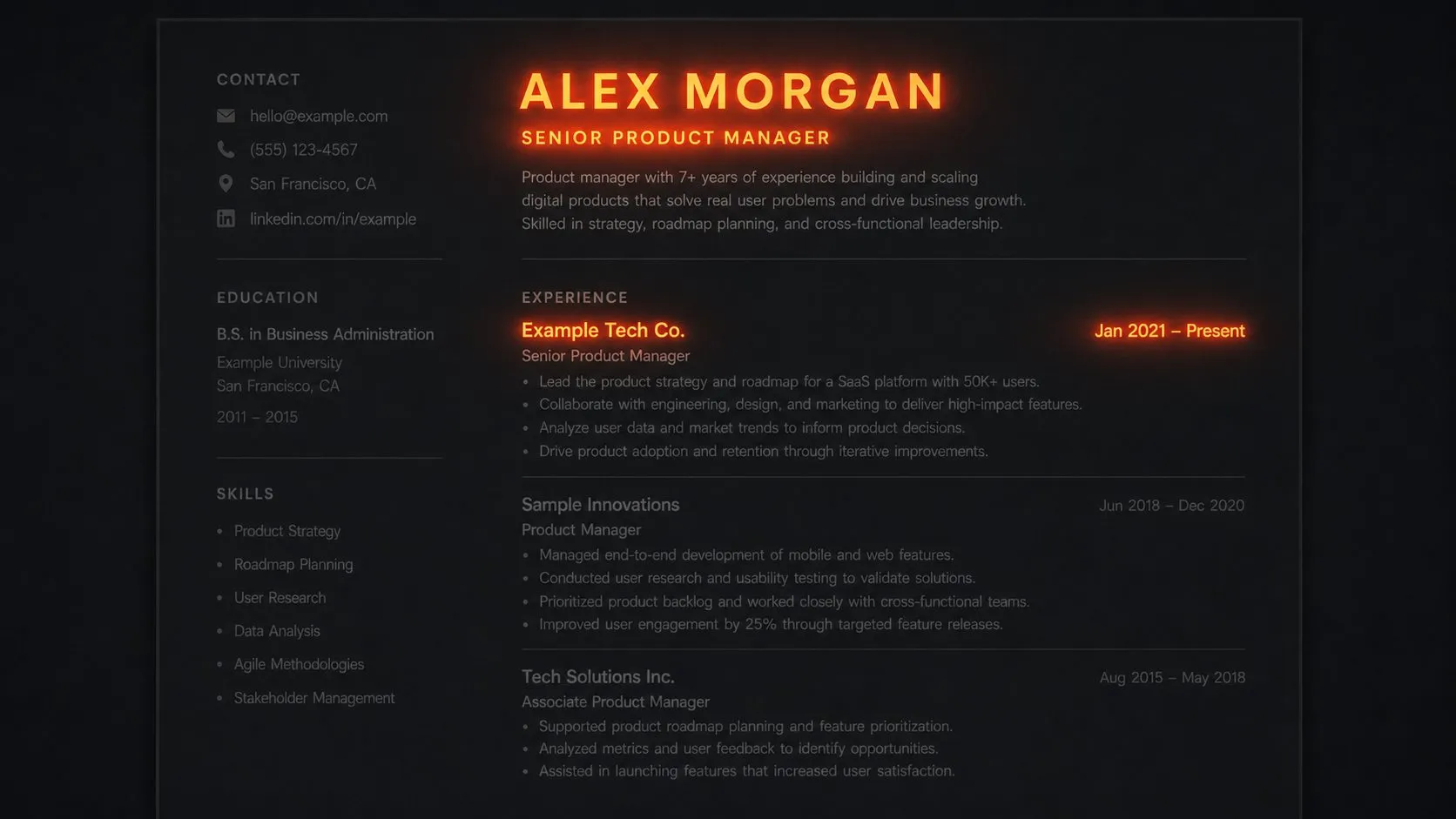
This is why formatting is not vanity. It is function. Clean typography, consistent spacing, and a clear visual hierarchy are what let a human extract those signals in under ten seconds.
Section by section: what to actually write
Contact information
Name, city and country (not your full address), phone number, professional email, and a LinkedIn URL or portfolio link if relevant. That is it. A photo is not standard practice in most English-speaking countries and adds no value to the ATS.
Professional summary (optional but powerful)
Two to three sentences at the top that answer: who are you, what do you do, and what are you looking for? Write it last, after you have written everything else — it is easier to summarise what is already there.
Do not write: “Motivated and results-driven professional seeking a challenging opportunity…”
Write something like: “Front-end developer with 4 years building React applications for SaaS products. Focused on performance and clean component architecture. Looking to join a product team where shipping quality work is the priority.”
Specific beats generic every time.
Experience
This is the most important section. List roles in reverse chronological order — most recent first. For each role include:
- Job title
- Company name
- Location (city, country — or “Remote”)
- Dates (Month Year – Month Year)
- 3–5 bullet points describing what you actually did
The bullet points are where most people go wrong. They write responsibilities when they should write achievements.
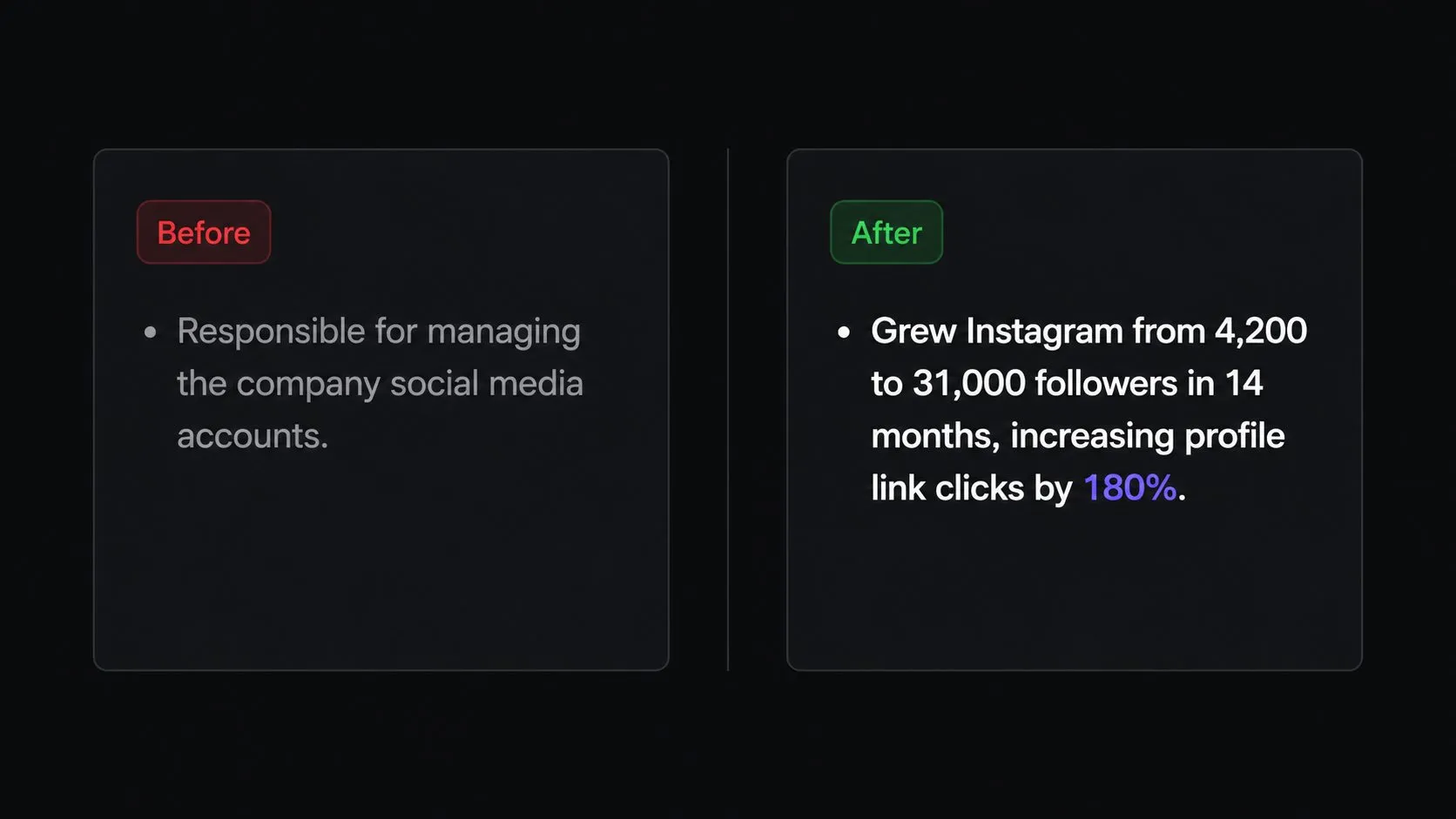
Responsibilities sound like: “Responsible for managing the social media accounts for the brand.”
Achievements sound like: “Grew Instagram following from 4,200 to 31,000 in 14 months by switching to a short-form video strategy, increasing profile link clicks by 180%.”
The difference is a number. Quantify everything you reasonably can — percentages, revenue figures, team sizes, timeframes, volume. Numbers are what make a bullet point credible rather than vague.
If you truly cannot quantify something, describe the scope and impact: how many people were affected, how large was the project, what problem did it solve?
Skills
List your skills as a simple comma-separated block or a short bulleted list — not a table, not a bar chart, not star ratings. Bar charts and ratings mean nothing to the ATS and actively confuse it. More importantly, a five-star rating you gave yourself tells the hiring manager nothing useful.
Separate hard skills (programming languages, tools, certifications) from soft skills (communication, leadership) — or drop soft skills entirely. Every candidate claims to be a good communicator. Show it through your experience bullets instead.
Education
Degree, institution, graduation year. If you are a recent graduate with limited experience, put this before Experience. If you have been working for a few years, it goes after. Simple rule.
You do not need to list your GPA unless it is exceptional (typically above 3.7/4.0) and you are early in your career.
Certifications, languages, and extras
These sections are genuinely useful when they are relevant to the role. A Google Analytics certification matters for a marketing role. A second language matters for a customer-facing international role. A personal project matters for a developer role with a thin experience section. When they are not relevant, leave them out — a shorter focused resume nearly always outperforms a padded long one.
One page or two?
One page if you have under ten years of experience. Two pages if you genuinely cannot cut it shorter without losing important, relevant content. Never go to three.
The one-page rule is not arbitrary. A hiring manager scanning dozens of resumes per day is not going to flip to page two on a first pass — they make their keep-or-skip decision on what is immediately in front of them.
Tailoring your resume for each application
Here is the thing most job seekers skip because it feels like extra work: a generic resume performs worse than a tailored one, even if the tailored version is technically the same quality of experience.
When you read a job posting, note the exact language they use for skills and responsibilities. Then mirror that language in your resume — not copy-paste, but the same terminology. If they say “cross-functional collaboration,” use that phrase. If they say “stakeholder management,” use that.
You are not gaming the system. You are speaking the employer’s language, which is what any good communicator does.
You do not need to rewrite your entire resume for every job. Usually it is 10–15 minutes of adjusting your summary, reordering a few bullet points, and swapping a skill term or two.
Paste your resume and the job posting to see your match score and exactly which keywords are missing.
How to build your resume step by step
- 1
Choose a clean, single-column template
Start with a layout that parses cleanly. Avoid anything with columns, sidebars, or decorative headers. Classic and professional templates are almost always safer than designer-forward ones for online applications.
- 2
Fill in your contact details and summary
Name, email, phone, city, and a two-to-three sentence summary written after you have filled in everything else.
- 3
Write your experience with achievement bullets
For each role, lead with what changed, improved, or was built — not what you were asked to do. Add at least one number to every bullet point if at all possible.
- 4
Add your skills as a plain list
No bars, no ratings, no tables. A readable text list that an ATS can parse and a human can skim in two seconds.
- 5
Read the job posting and adjust
Read it like a checklist. Any keyword or phrase they use that you legitimately have — make sure it is in your resume, in their language.
- 6
Export as PDF and check it reads cleanly
Open the PDF and copy-paste the text into a plain text editor. If it reads coherently, an ATS will parse it correctly. If it comes out scrambled, your layout has formatting issues.
Pick a template, fill in your details, and download a clean PDF — no account, no watermark.
Frequently asked questions
Does the ATS actually reject my resume automatically?
It depends on the company's settings. Some use the ATS purely as an organisational tool and humans review everything. Others set score thresholds below which applications are auto-archived. You cannot know which system a company uses, so it is always worth optimising for both.
Should I use a Word document or PDF?
PDF is almost always safer — it preserves your formatting exactly. Some older ATS systems struggled with PDFs, but that is increasingly rare in 2026. If a job posting explicitly asks for a Word document, send a Word document.
Is a one-page resume really a hard rule?
Not a law, but a strong convention for anyone with under ten years of experience. Senior professionals — directors, executives, specialists with a decade-plus of directly relevant work — are expected to have a two-page resume.
How many bullet points should each job have?
Three to five for recent and relevant roles. One to two for older or less relevant roles. Zero for anything over fifteen years old that is only there to show continuity.
Do I need a cover letter?
When one is requested, yes — and it should be specific to the company and role, not a generic template. When one is optional, a short, genuine cover letter still stands out because most candidates skip it.
What font should I use?
Any clean, readable sans-serif: Inter, Lato, Plus Jakarta Sans, or Source Sans Pro all work well. Avoid decorative or script fonts. Keep body text at 10–11pt and headings at 13–14pt.